Chat Bubbles Minecraft Mod

This mod is create to make your server mode more fun, because if you chatting with other player, the word will on the other player head and like chatting at messenger. This can make chatting with someone at server play with many people inside more easier and not confusing you.
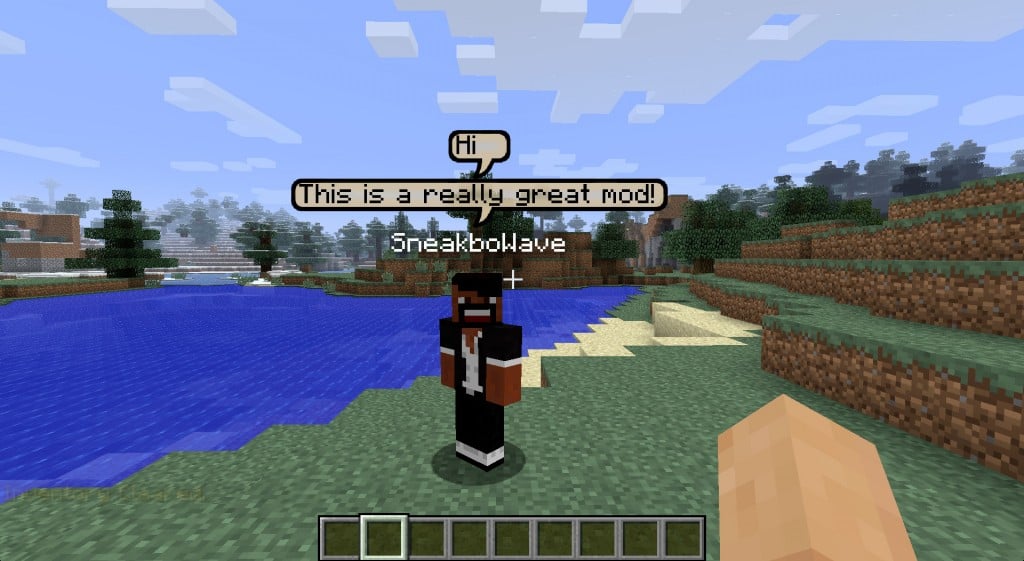
chatbubbles1

The collor of the chat will be diferent with other people that make you not confuse.
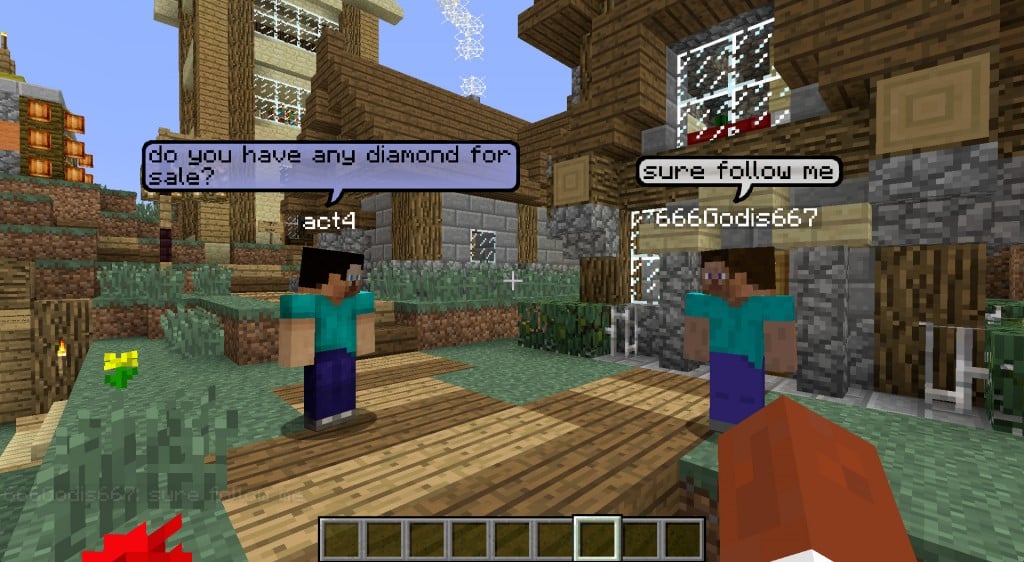
chatbubbles2

INSTALLING INSTRUCTION :
To Install this mod there's 3 way, 1 using minecraft forge 2 without minecraft forge and 3 is with installer.
1. For minecraft forge you need to install Minecraft forge first MINECRAFT FORGE after installing minecraft forge, you need to install this mod to minecraft forge. To install minecraft mod with minecraft forge go to here
INSTALL
2. For installing without minecraft forge, Open "Run" Application and search "%APPDATA%, After that open minecraft folder and then open the folder "bin" and open minecraft.jar you need program called winrar (backup minecraft.jar before installing mod) .
Drag and drop the minecraft files mod into minecraft.jar, delete folder called "meta-inf" and then close the folder. Launch minecraft.
3. For installing with installer you only need download the mod installer, and run the installer. After installation is complete launch minecraft game.

DOWNLOAD LINK :
Chatbubble1.6.2 
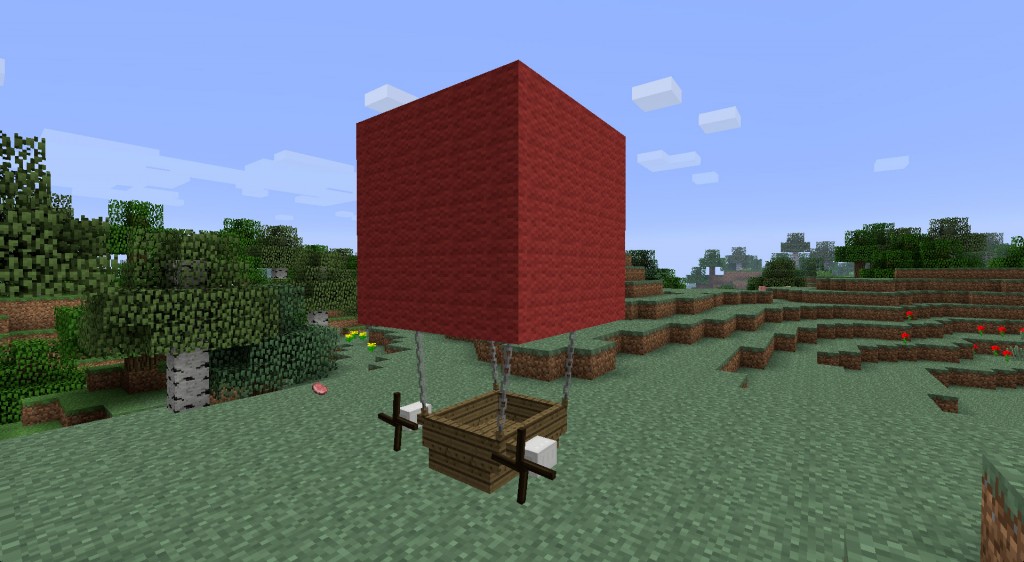
Airship Minecraft Mod

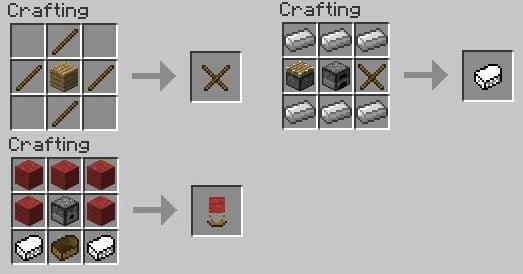
In this mod you can craft an aircraft, you can fly with this item and the aircraft speed is fast. To customize balloon you only change the wool color with dye.
airship2

To make the aircraft  recipe :

airship1

to control the aircraft : 
W – Fly forward
A – Turn left
S – Reverse
D – Turn right
Z – Go up
X – Go down

INSTALLING INSTRUCTION :
To Install this mod there's 3 way, 1 using minecraft forge 2 without minecraft forge and 3 is with installer.
1. For minecraft forge you need to install Minecraft forge first MINECRAFT FORGE after installing minecraft forge, you need to install this mod to minecraft forge. To install minecraft mod with minecraft forge go to here
INSTALL
2. For installing without minecraft forge, Open "Run" Application and search "%APPDATA%, After that open minecraft folder and then open the folder "bin" and open minecraft.jar you need program called winrar (backup minecraft.jar before installing mod) .
Drag and drop the minecraft files mod into minecraft.jar, delete folder called "meta-inf" and then close the folder. Launch minecraft.
3. For installing with installer you only need download the mod installer, and run the installer. After installation is complete launch minecraft game.

DOWNLOAD LINK :

Airship Mod


OptiFine HD Minecraft Mod

OptiFine HD is Mod is extremely recomended for make your minecraft game more faster and extremely reduce lag of your game and optimize the minecraft graphic. You can adjust brightness, fog, Animation, details, quality, performance, fog start, advance openGL, view bobbing, smooth lighting, render distance, Gui Scale.
You can setting that at option, and you can set the FPS too!

optifinehd1

INSTALLING INSTRUCTION :
To Install this mod there's 3 way, 1 using minecraft forge 2 without minecraft forge and 3 is with installer.
1. For minecraft forge you need to install Minecraft forge first MINECRAFT FORGE after installing minecraft forge, you need to install this mod to minecraft forge. To install minecraft mod with minecraft forge go to here
INSTALL
2. For installing without minecraft forge, Open "Run" Application and search "%APPDATA%, After that open minecraft folder and then open the folder "bin" and open minecraft.jar you need program called winrar (backup minecraft.jar before installing mod) .
Drag and drop the minecraft files mod into minecraft.jar, delete folder called "meta-inf" and then close the folder. Launch minecraft.
3. For installing with installer you only need download the mod installer, and run the installer. After installation is complete launch minecraft game.

DOWNLOAD LINK :
OptiFineHD

Herobrine Minecraft Mod

If You now about herobrine myth, you can generate herobrine with this funny mod. Only install and create the herobrine spawner and the spawner will spawn herobrine with unlimited amount.

 Actually after herobrine was generated, herobrine will attack you and destroy the world at minecraft, you must carefully use this mod. You must kill herobrine if the herobrine is attacking you because herobrine always want to kill you

INSTALLING INSTRUCTION :
To Install this mod there's 3 way, 1 using minecraft forge 2 without minecraft forge and 3 is with installer.
1. For minecraft forge you need to install Minecraft forge first MINECRAFT FORGE after installing minecraft forge, you need to install this mod to minecraft forge. To install minecraft mod with minecraft forge go to here
INSTALL
2. For installing without minecraft forge, Open "Run" Application and search "%APPDATA%, After that open minecraft folder and then open the folder "bin" and open minecraft.jar you need program called winrar (backup minecraft.jar before installing mod) .
Drag and drop the minecraft files mod into minecraft.jar, delete folder called "meta-inf" and then close the folder. Launch minecraft.
3. For installing with installer you only need download the mod installer, and run the installer. After installation is complete launch minecraft game.

DOWNLOAD LINK :
TheHerobrineMod

LotsOMobs Minecraft Mod

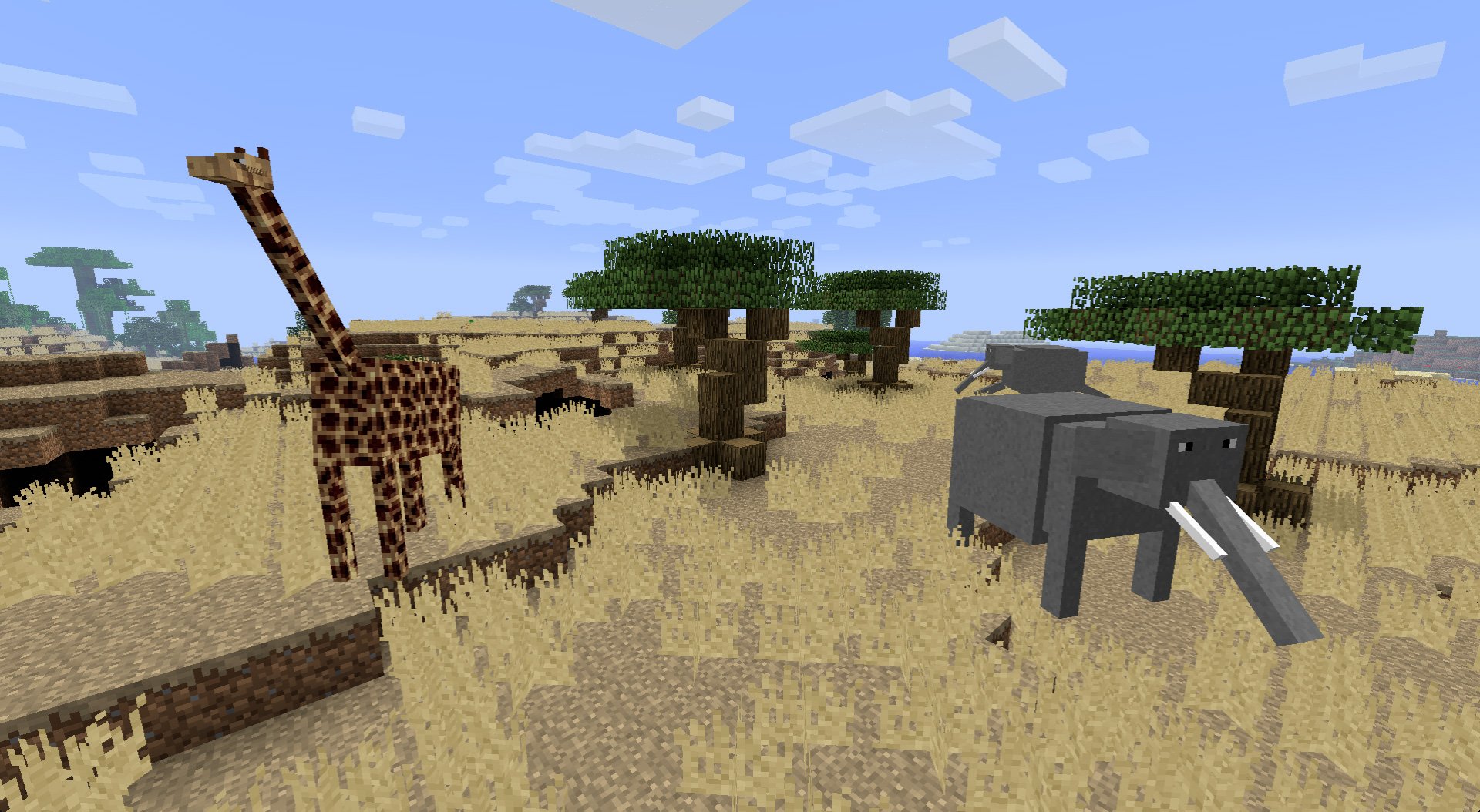
This Mod Give you additional Mobs (Animal) about 25 New Mobs Included in this Mod. This mod make your minecraft play is more insteresting, with like real life forest.

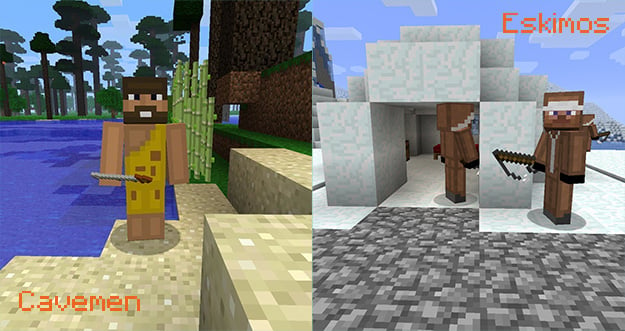
This Mod Include Caveman and eskimo people too who make your single player journey more interesting and lot of fun :D

INSTALLING INSTRUCTION :
To Install this mod there's 3 way, 1 using minecraft forge 2 without minecraft forge and 3 is with installer.
1. For minecraft forge you need to install Minecraft forge first MINECRAFT FORGE after installing minecraft forge, you need to install this mod to minecraft forge. To install minecraft mod with minecraft forge go to here
INSTALL
2. For installing without minecraft forge, Open "Run" Application and search "%APPDATA%, After that open minecraft folder and then open the folder "bin" and open minecraft.jar you need program called winrar (backup minecraft.jar before installing mod) .
Drag and drop the minecraft files mod into minecraft.jar, delete folder called "meta-inf" and then close the folder. Launch minecraft.
3. For installing with installer you only need download the mod installer, and run the installer. After installation is complete launch minecraft game.

DOWNLOAD LINK :
LotsOMobs_103.0.3

Millenaire Minecraft Mod

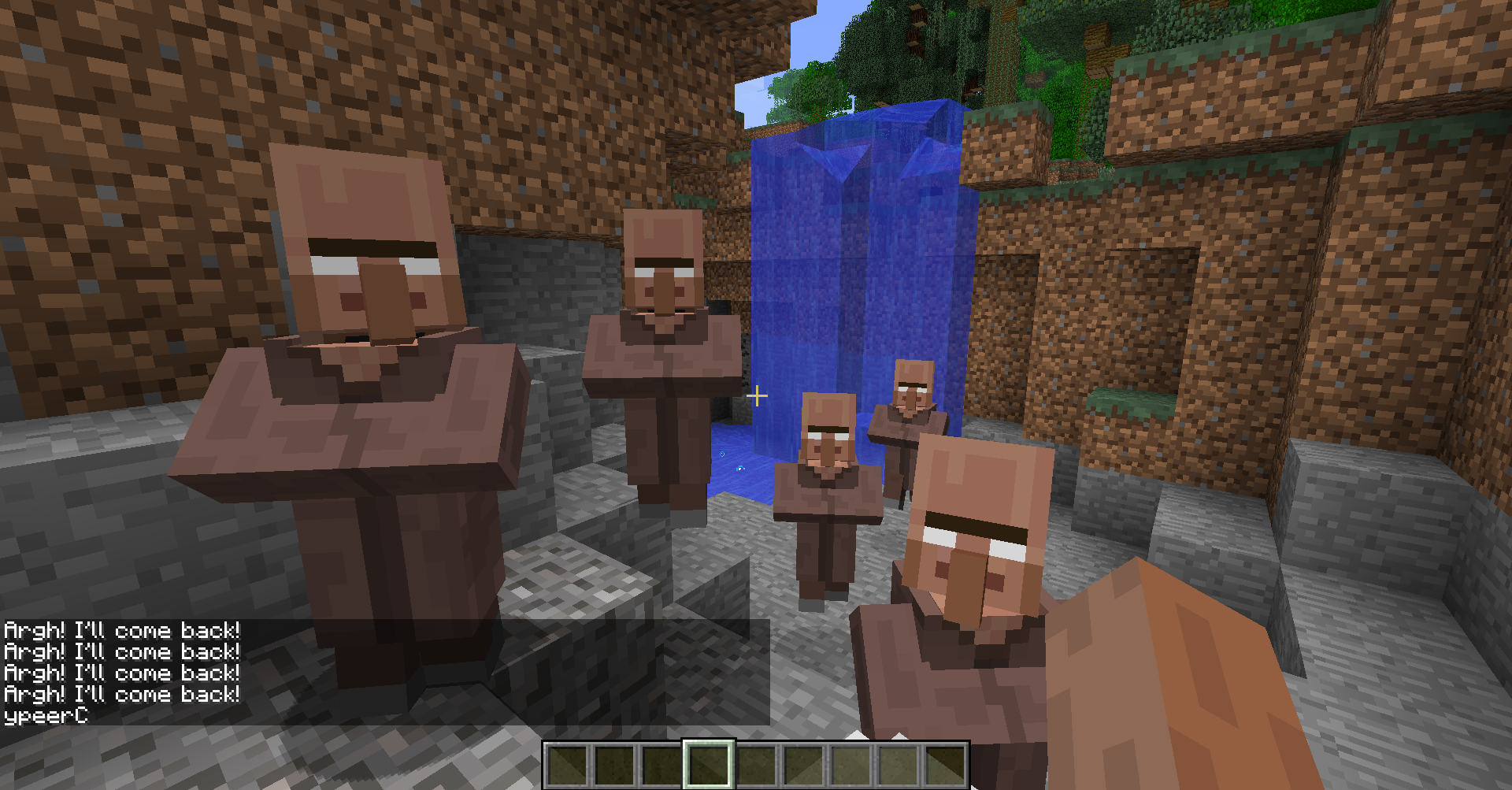
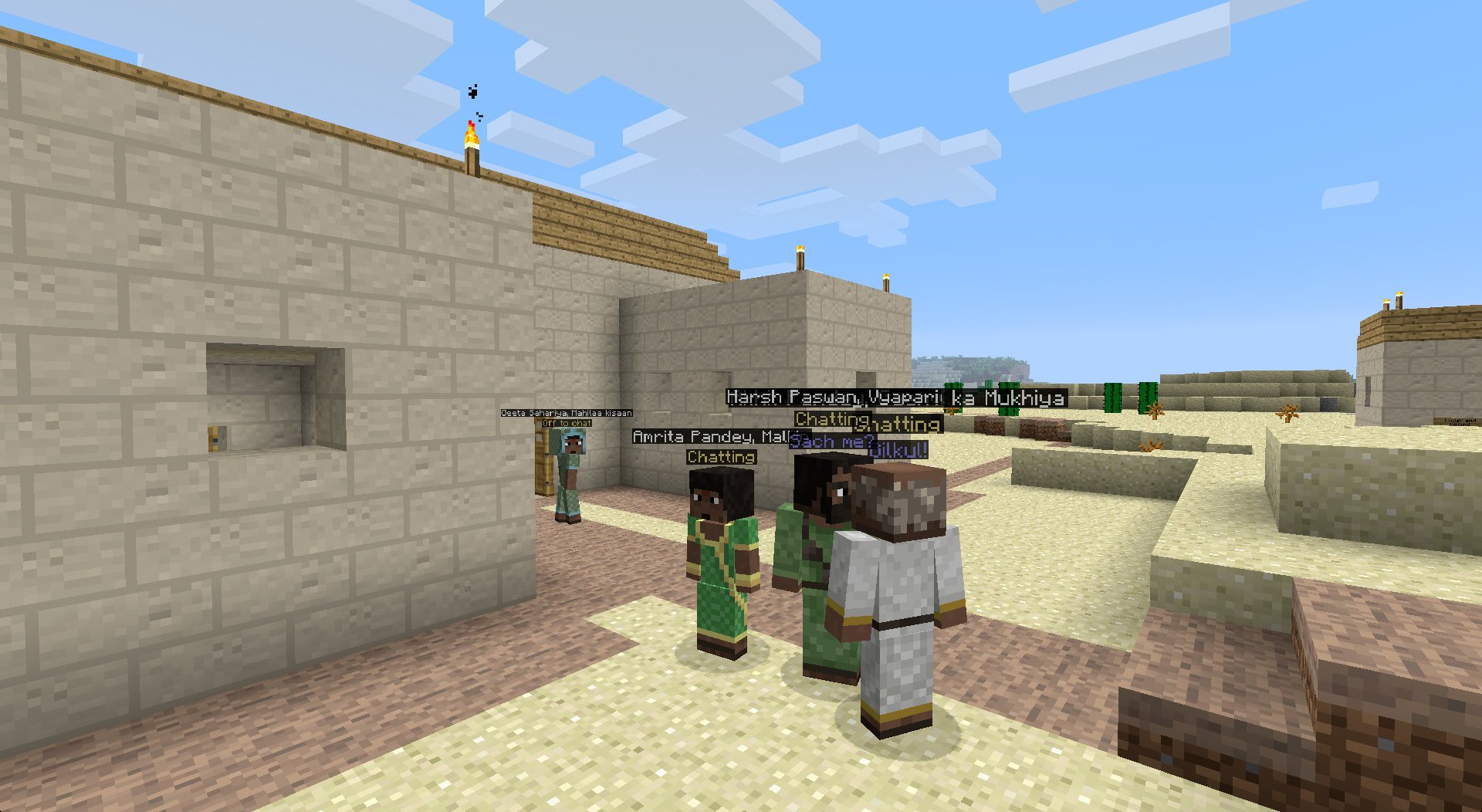
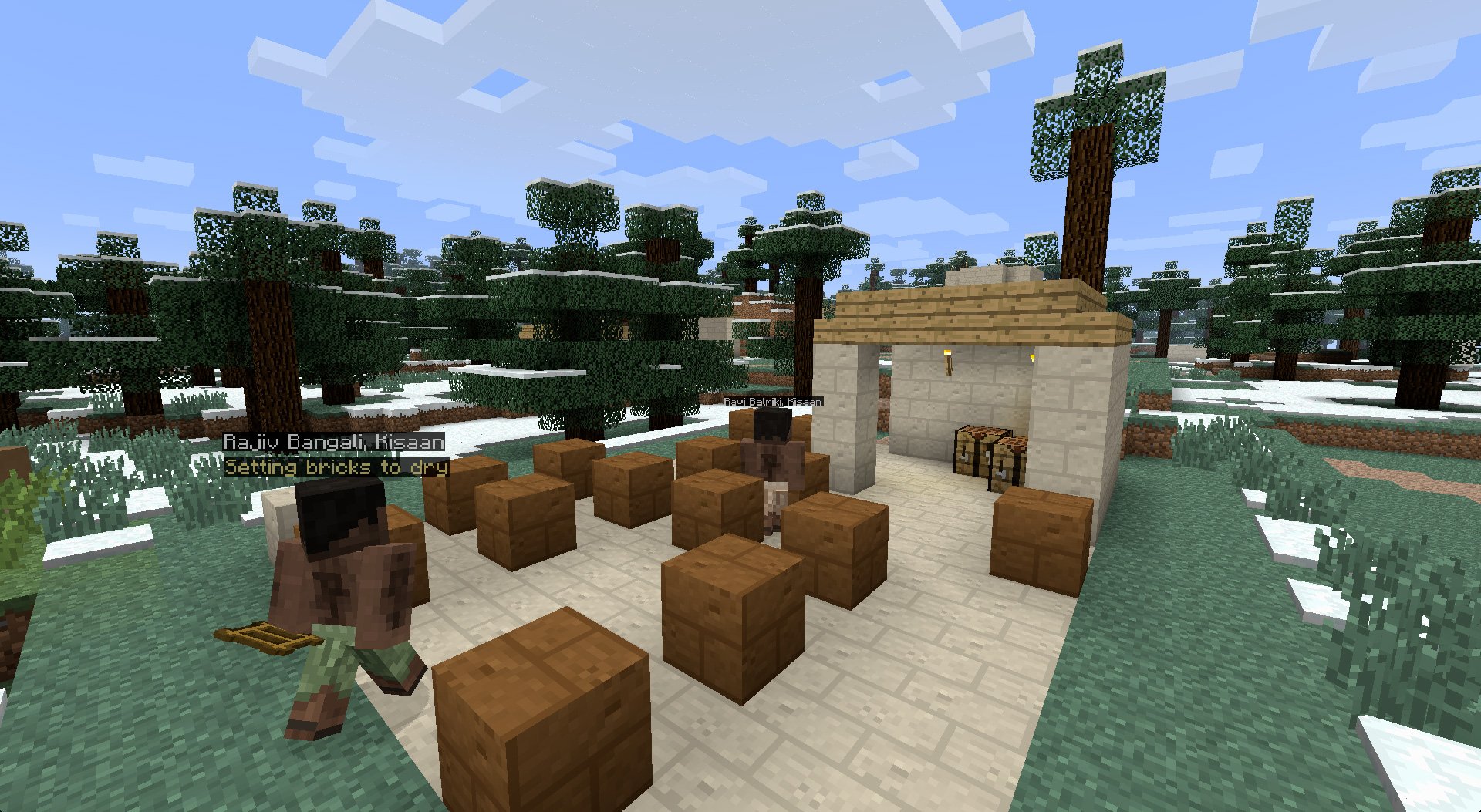
This mod will make NPC at your single player mode with many varies of NPC skin. The NPC will be randomly generate and make your single player mode much more interesting and fun.
You can buy or trade at NPC like trading item, weapon, and many more...

NPC can work like playing with other player at singleplayer mode. NPC can doing something like placing blocks, making house.

The NPC skin is will generate with many skin. You can make a war with NPC's town, to do that you only need to attack their and all NPC at that town will attacking you :D

INSTALLING INSTRUCTION :
To Install this mod there's 3 way, 1 using minecraft forge 2 without minecraft forge and 3 is with installer.
1. For minecraft forge you need to install Minecraft forge first MINECRAFT FORGE after installing minecraft forge, you need to install this mod to minecraft forge. To install minecraft mod with minecraft forge go to here
INSTALL
2. For installing without minecraft forge, Open "Run" Application and search "%APPDATA%, After that open minecraft folder and then open the folder "bin" and open minecraft.jar you need program called winrar (backup minecraft.jar before installing mod) .
Drag and drop the minecraft files mod into minecraft.jar, delete folder called "meta-inf" and then close the folder. Launch minecraft.
3. For installing with installer you only need download the mod installer, and run the installer. After installation is complete launch minecraft game.

DOWNLOAD LINK :
Millenaire5.1.7

Rei's Minimap Minecraft Mod

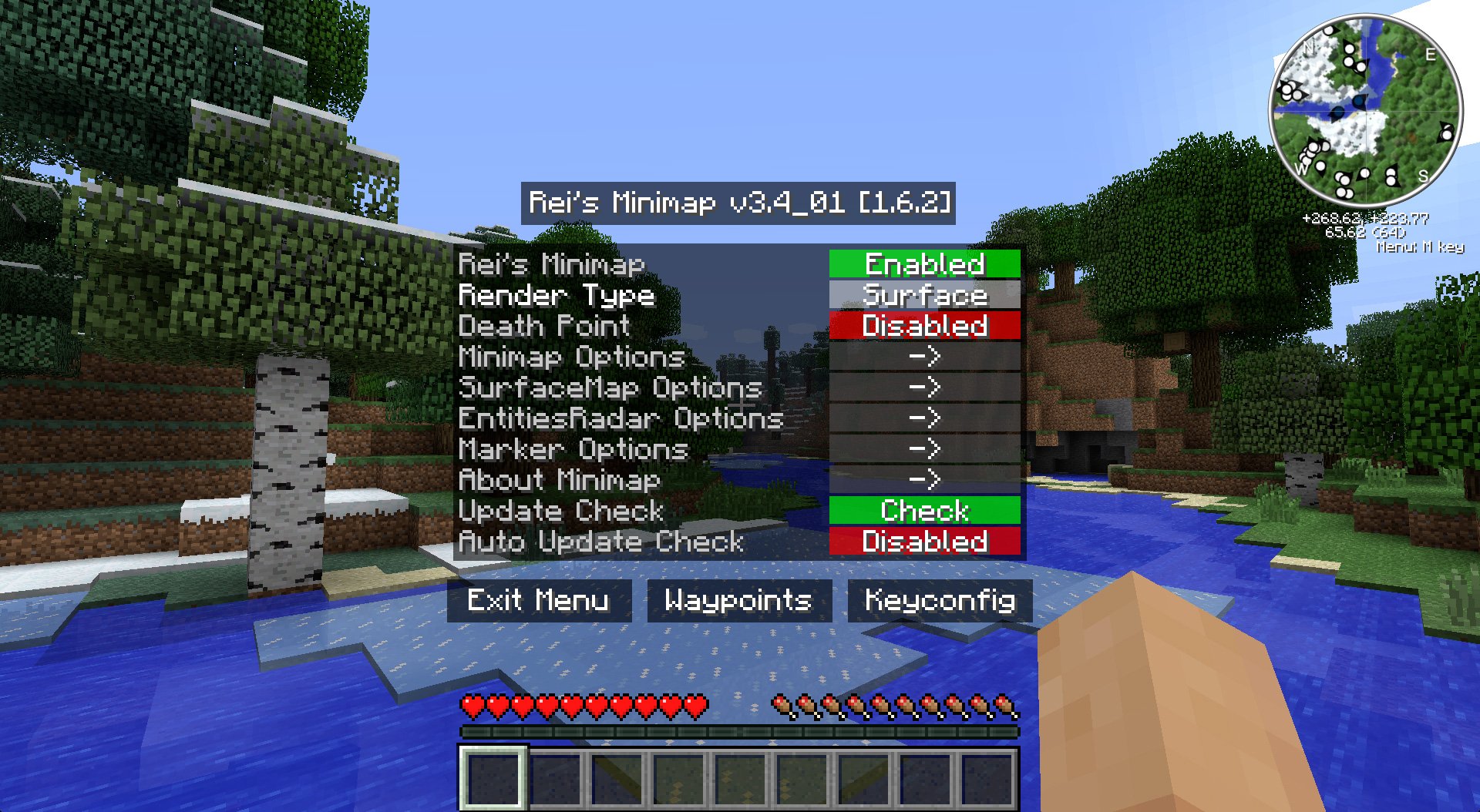
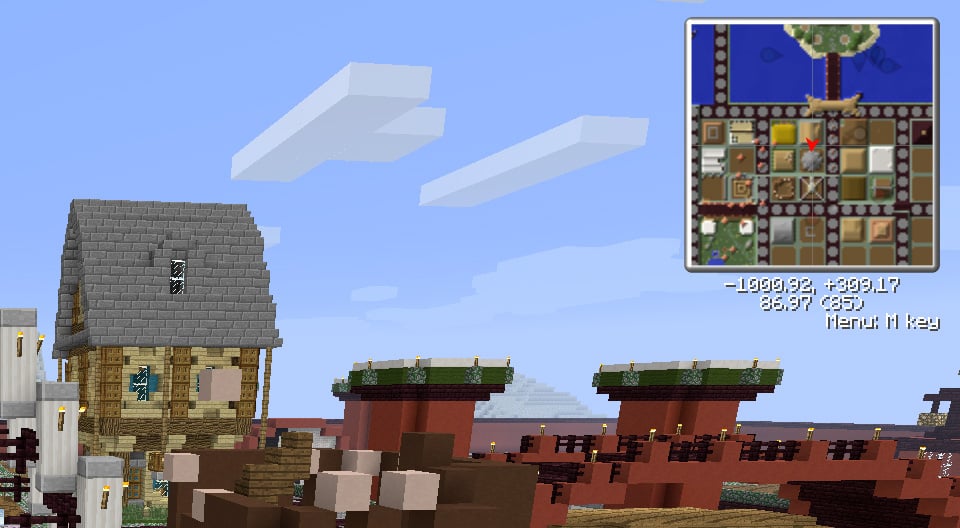
Rei's Minimap is Minecraft mod who can Set Your Death Point, it's like playing Online RPG game if you play at server mode and set death point at city. You can change the minecraft map style too.
To Activate this mod press "M" at keyboard and to disable press "M" at keyboard again.

This Mod can Set to Auto Update, that will be update if new release has been made. You can also set the minimap option, surfacemap option and etc.


INSTALLING INSTRUCTION :
To Install this mod there's 3 way, 1 using minecraft forge 2 without minecraft forge and 3 is with installer.
1. For minecraft forge you need to install Minecraft forge first MINECRAFT FORGE after installing minecraft forge, you need to install this mod to minecraft forge. To install minecraft mod with minecraft forge go to here
INSTALL
2. For installing without minecraft forge, Open "Run" Application and search "%APPDATA%, After that open minecraft folder and then open the folder "bin" and open minecraft.jar you need program called winrar (backup minecraft.jar before installing mod) .
Drag and drop the minecraft files mod into minecraft.jar, delete folder called "meta-inf" and then close the folder. Launch minecraft.
3. For installing with installer you only need download the mod installer, and run the installer. After installation is complete launch minecraft game.

DOWNLOAD LINK :